
Product
One system for the office and the field.
Teloflo has two apps. The office app runs in a browser. The tech app runs on the phone of each technician. Both show the same jobs.
The office app
Book, dispatch and bill in one place.
The office works in a browser, on a computer or a tablet.
Intake
Book a job while the customer is on the phone. The bookings from your website show on the same page.
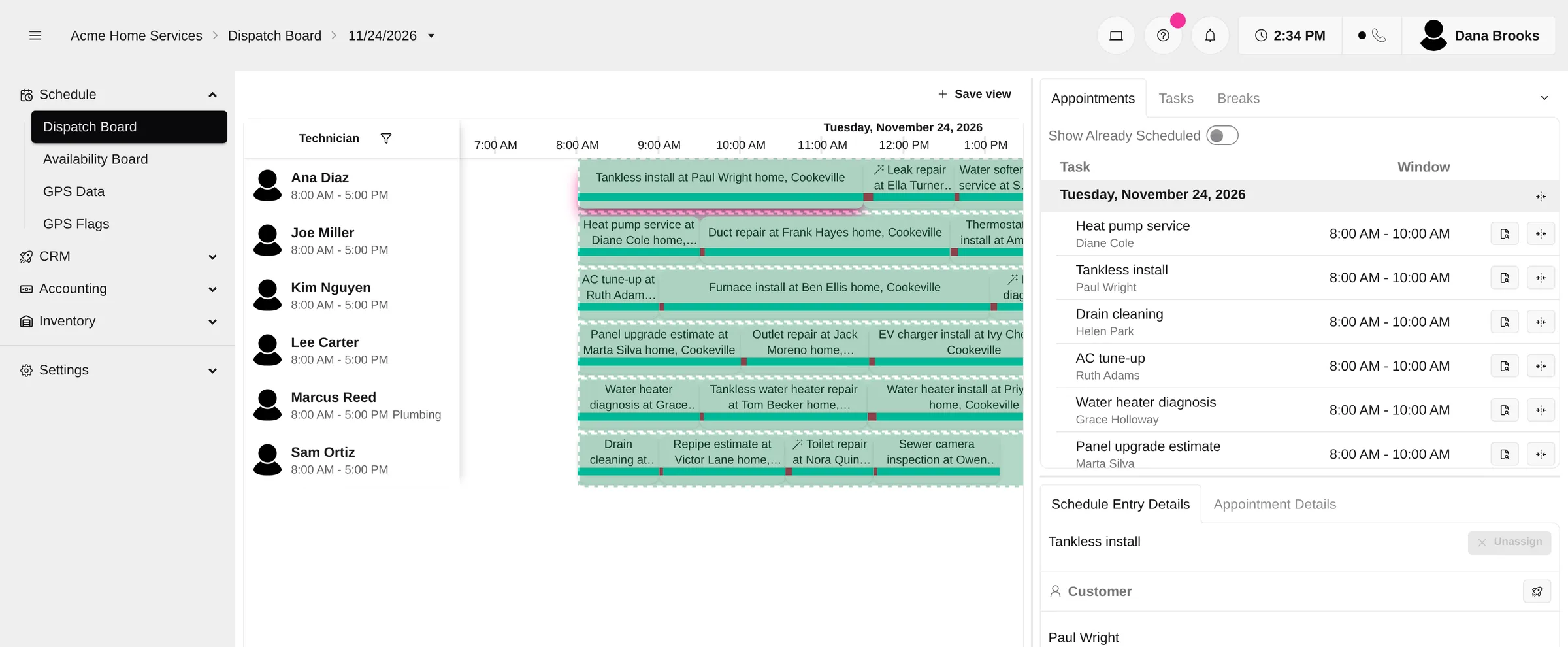
Dispatch Board
See the shift of each technician on a time line. Drag a job to move it, or let the AI scheduler place it.
Availability Board
Open and close the time frames that a customer can book, for each service and each service area.
Customers and jobs
Each job keeps its tasks, form answers, photos, messages and history in one place.
Quotes and invoices
A calculator for each kind of work makes the quote. Then make the invoice and record each payment.
Materials
Track the materials in each warehouse and each vehicle. Buy more with purchase orders.
The tech app
The whole job, on the phone.
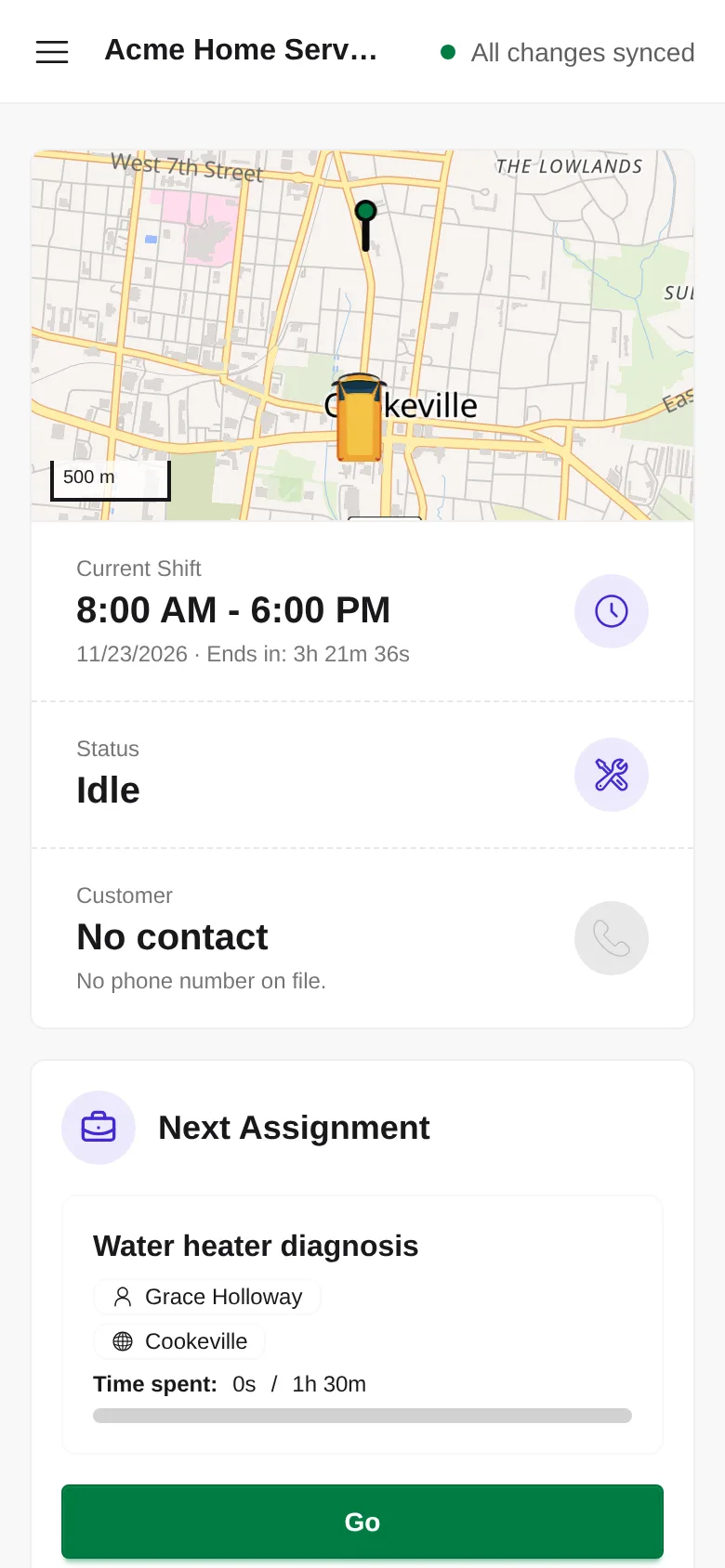
Each technician sees the work of the day and does each step in the tech app.
- The next job, with the address and the appointment window.
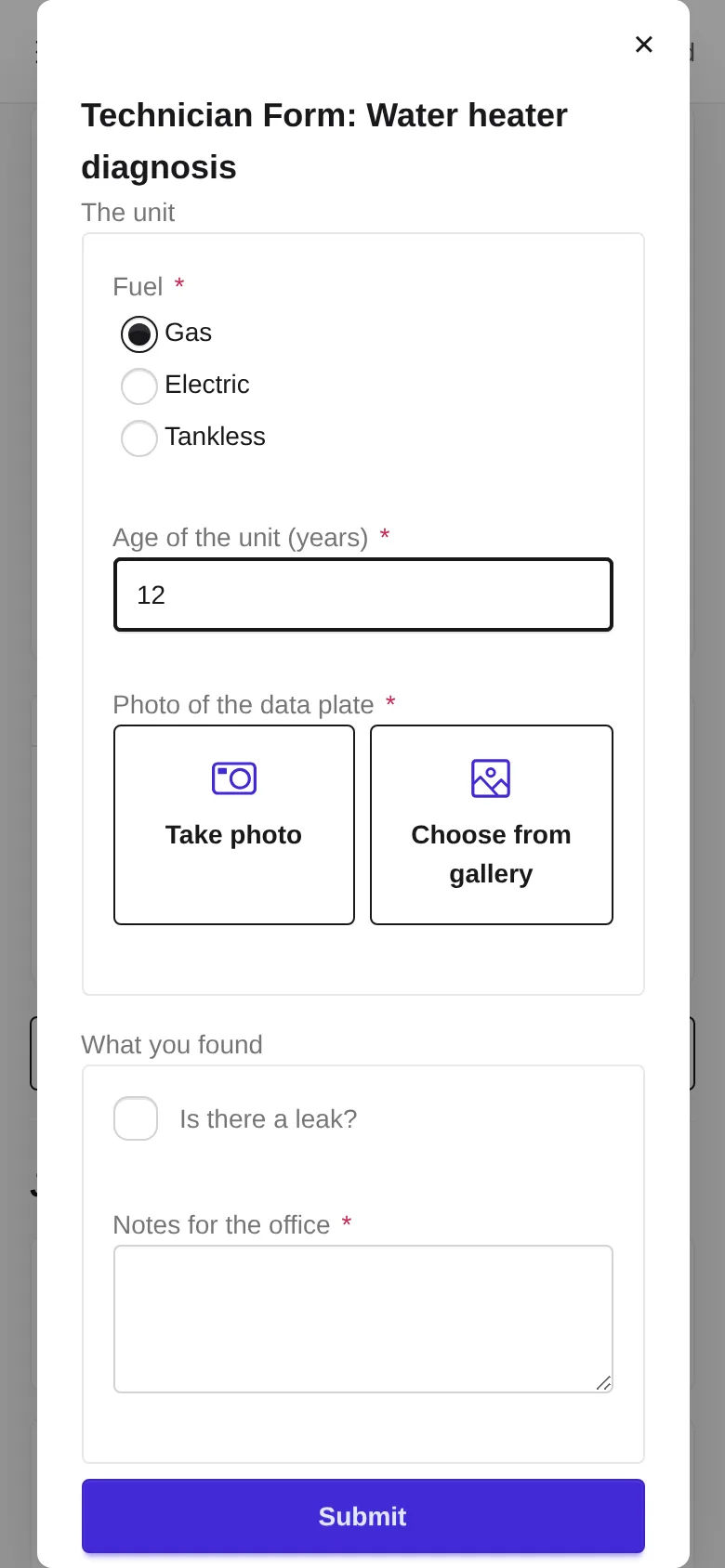
- Your forms on each task, with photos.
- Quotes that the technician presents to the customer.
- Card payments, with a pay link and a QR code.
- The jobs, forms and photos work with no signal.
Setup
Set up Teloflo for your own work.
Your company decides what a technician fills in and what each person can do.
Forms
Build each form in the form builder, with text, numbers, choices, pictures and drawings.
Task templates
A task template is a ready-made task list with forms. Intake uses it to make the tasks of a job.
Roles
A role holds permissions. Each person sees and changes only what the role allows.
Help chat
The help chat answers questions about Teloflo in the office app. It can change a form when you ask.
See Teloflo with your own work.
Tell us about your company. A person from Teloflo shows you how Teloflo runs your jobs.
Request a demo